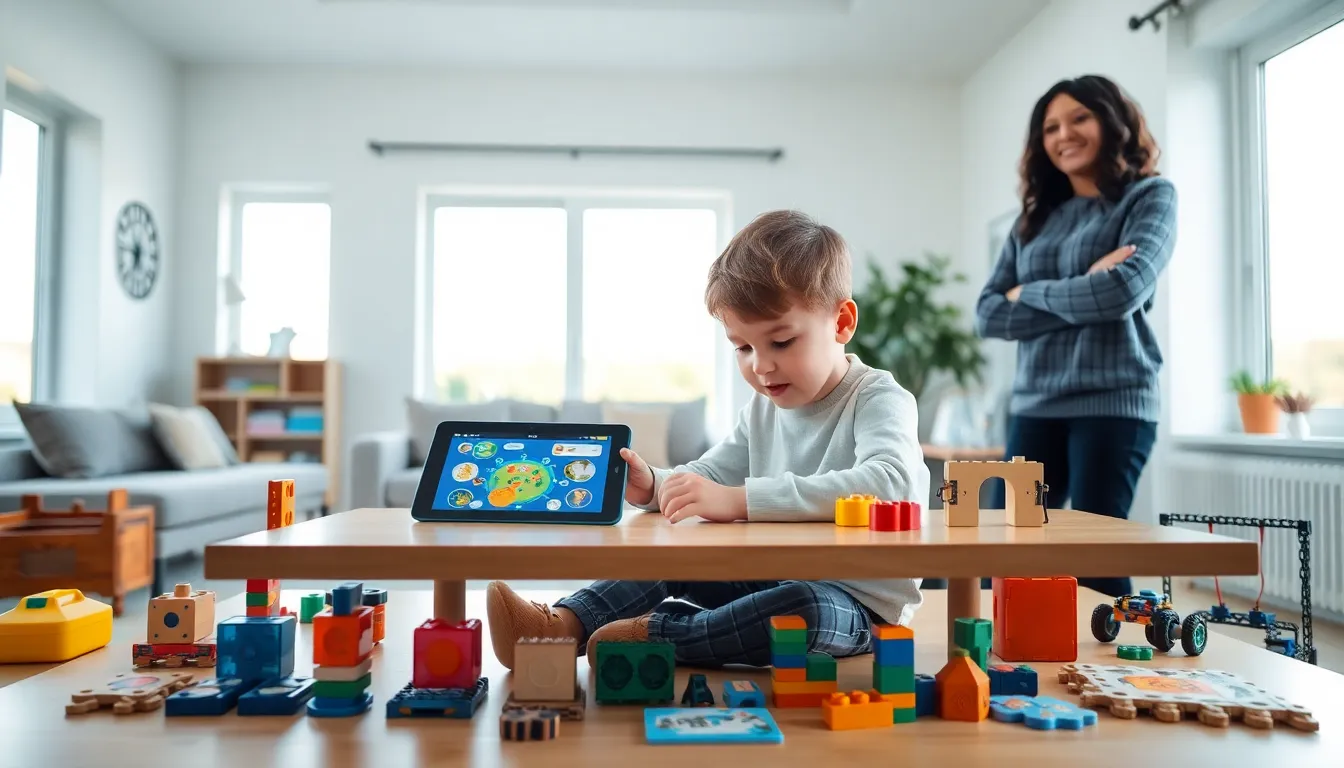
Educational apps and toys for beginners give young children a strong foundation for lifelong learning. Parents today have access to hundreds of digital and physical tools designed to teach letters, numbers, problem-solving, and creativity. But with so many options, picking the right ones can feel overwhelming.
This guide breaks down the best educational apps and toys for beginners. It covers why these tools matter, what to look for, and how to balance screen time with hands-on play. Whether a child is two or six, the right learning tools can spark curiosity and build essential skills.
Table of Contents
ToggleKey Takeaways
- Educational apps and toys for beginners build essential skills like literacy, math, and problem-solving during the critical early years of brain development.
- The best educational apps are ad-free, age-appropriate, and encourage active participation rather than passive screen time.
- Physical toys like building blocks and STEM kits develop fine motor skills and spatial reasoning that apps alone can’t replicate.
- Choose educational tools that match your child’s interests and sit just beyond their current skill level to maximize engagement.
- Balance screen time with hands-on play by limiting apps to one hour daily for ages 2-5 and pairing digital learning with offline activities.
- Test apps through free trials and borrow toys from libraries before investing to ensure they hold your child’s attention.
Why Educational Apps and Toys Matter for Early Learners
The first five years of a child’s life shape brain development more than any other period. During this time, children absorb information rapidly. Educational apps and toys for beginners tap into this window by making learning feel like play.
Research from the American Academy of Pediatrics shows that interactive, age-appropriate apps can support language development and early literacy. Educational toys, like building blocks, puzzles, and STEM kits, build fine motor skills and spatial reasoning.
These tools also teach children how to focus, follow instructions, and solve problems independently. A toddler stacking blocks learns cause and effect. A preschooler using a phonics app practices letter sounds. Both activities prepare kids for classroom learning.
Educational apps and toys for beginners work best when they encourage active participation. Passive screen time, like watching videos, doesn’t offer the same benefits. The key is choosing tools that ask children to think, respond, and create.
Top Educational Apps for Beginners
The best educational apps for beginners combine fun with real learning outcomes. Here are some top picks across different skill areas:
Literacy and Language
Endless Alphabet teaches vocabulary through interactive puzzles. Kids drag letters into place while animated monsters demonstrate word meanings. It’s engaging and builds word recognition.
Homer offers personalized reading lessons based on a child’s age and interests. The app covers phonics, sight words, and early reading comprehension.
Math and Logic
Khan Academy Kids provides free lessons in math, reading, and social-emotional learning. The app adapts to each child’s progress and includes thousands of activities.
Moose Math from Duck Duck Moose turns counting, addition, and geometry into games. Kids run a virtual shop and solve math problems to earn rewards.
Creativity and Problem-Solving
Toca Boca apps let children explore open-ended play. Toca Kitchen, Toca Life, and similar apps encourage creativity without strict rules or goals.
ScratchJr introduces coding basics to kids ages 5-7. Children snap together visual blocks to make characters move, jump, and dance.
Educational apps for beginners should be ad-free and easy to use. Look for apps with clear age ratings and content that matches a child’s developmental stage.
Best Educational Toys for Young Learners
Physical toys remain essential for early childhood development. They build skills that apps alone can’t replicate, like tactile learning and social play.
Building and Construction
LEGO Duplo sets are perfect for toddlers. The large, colorful bricks develop hand strength and spatial awareness. Themed sets also spark imaginative storytelling.
Magna-Tiles use magnets to connect flat shapes into 3D structures. Kids experiment with geometry and engineering without realizing they’re learning.
STEM Toys
Learning Resources Botley 2.0 is a screen-free coding robot. Children program Botley using physical cards, building logic and sequencing skills.
GeoSafari Jr. Talking Microscope introduces science exploration to preschoolers. Kids examine real specimens while the microscope shares fun facts.
Pretend Play and Language
Melissa & Doug playsets cover everything from doctor kits to grocery stores. Pretend play strengthens vocabulary, social skills, and emotional understanding.
LeapFrog interactive books combine physical pages with audio. Children press buttons to hear words, songs, and stories, bridging digital and tactile learning.
Educational toys for beginners should match a child’s interests and abilities. A toy that’s too advanced frustrates kids. One that’s too simple bores them. The sweet spot sits just beyond their current skill level.
How to Choose the Right Educational Tools for Your Child
Not every educational app or toy works for every child. Parents should consider several factors before buying.
Age appropriateness matters most. A coding app designed for seven-year-olds will frustrate a four-year-old. Check manufacturer age recommendations, but also observe how a child interacts with the tool.
Follow the child’s interests. A dinosaur-obsessed kid will engage more with dino-themed puzzles than generic ones. Educational apps and toys for beginners succeed when they align with what children already love.
Prioritize open-ended play. The best tools have multiple uses. Blocks build towers, castles, and bridges. Art supplies create infinite projects. These toys grow with children and stay interesting longer.
Check for quality content. Look for apps developed by educators or backed by research. Read reviews from other parents. Avoid tools packed with ads, in-app purchases, or flashy distractions that outweigh learning value.
Test before committing. Many apps offer free trials. Libraries lend educational toys. Let children explore before investing in expensive tools they might ignore after a week.
Balancing Screen Time With Hands-On Play
Educational apps offer real benefits, but they shouldn’t replace physical play. Children need both digital and tactile experiences for healthy development.
The American Academy of Pediatrics recommends limiting screen time to one hour per day for children ages 2-5. For kids under 18 months, video chatting is the only recommended screen use. These guidelines exist because young brains need movement, social interaction, and sensory experiences that screens can’t provide.
Here’s how to strike a balance:
Set clear boundaries. Designate specific times for app use, like 20 minutes after lunch. Consistent routines help children understand limits.
Choose interactive apps over passive ones. An app that asks children to solve puzzles beats one that plays videos. Active engagement matters.
Use apps together. Sit with children during screen time. Ask questions, celebrate successes, and extend learning into offline activities.
Pair digital and physical learning. After using a letter app, practice writing letters with crayons. After a math game, count real objects around the house.
Educational apps and toys for beginners work best as part of a varied learning environment. Neither screens nor physical toys should dominate. The goal is a mix that keeps children curious, active, and engaged.