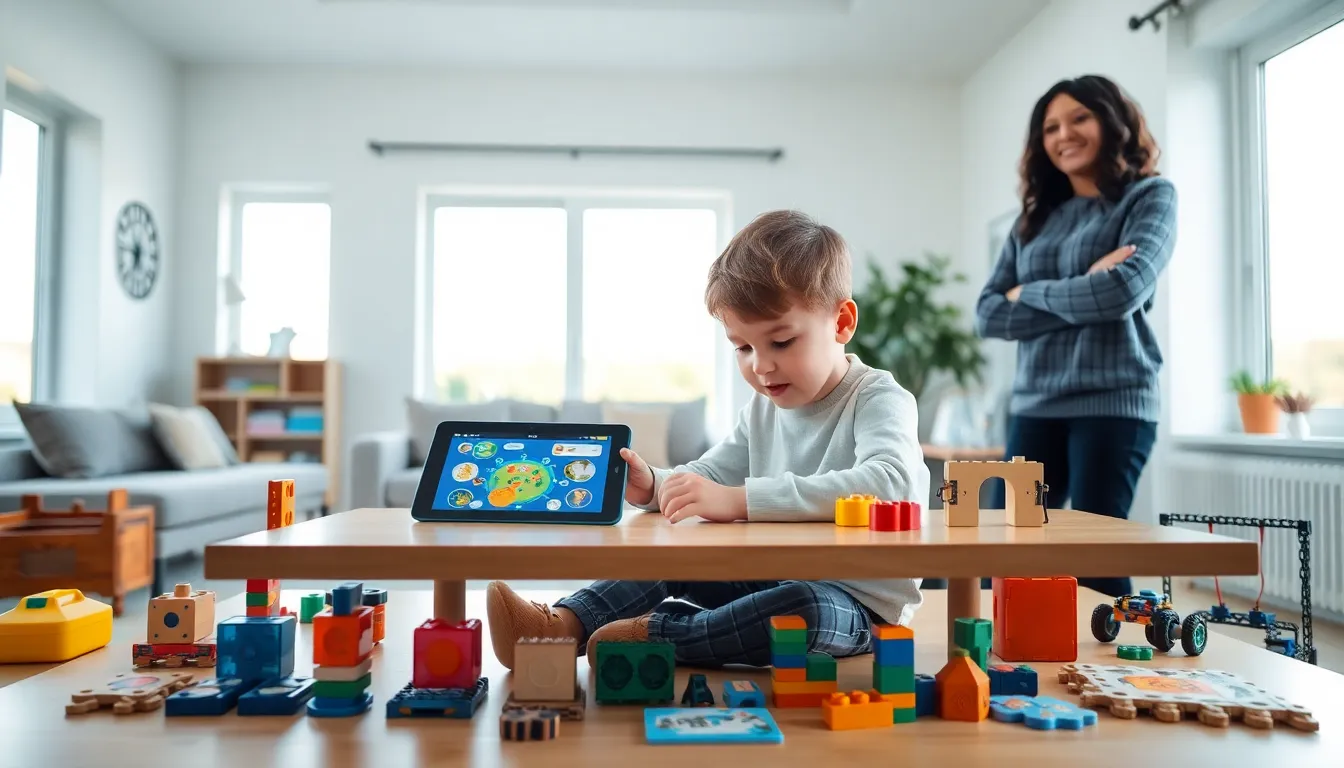
Top educational apps and toys have transformed how children and students learn. Parents and educators now have access to tools that make learning fun and effective. Digital apps teach reading, math, and coding skills. Physical toys build creativity, problem-solving abilities, and motor skills. This guide covers the best educational apps and toys available today. It also explains how to choose the right tools and balance screen time with hands-on play.
Table of Contents
ToggleKey Takeaways
- Top educational apps and toys work together to build reading, math, coding, and creativity skills in children of all ages.
- Apps like ABCmouse, Khan Academy Kids, and Scratch Jr turn screen time into productive, interactive learning experiences.
- Building toys such as LEGO, Magna-Tiles, and robotics kits develop fine motor skills, spatial reasoning, and hands-on problem-solving.
- Choose educational tools based on age appropriateness, learning style, and verified educational value from trusted sources.
- Balance digital and physical play by following screen time guidelines and alternating between apps and hands-on toys.
- Start with a few high-quality educational apps and toys rather than many mediocre options for deeper engagement.
Best Educational Apps for Kids and Students
Educational apps offer interactive learning experiences that adapt to each child’s pace. Here are some of the best options across different age groups and subjects.
Reading and Language Apps
ABCmouse covers reading, math, science, and art for children ages 2-8. The app uses games, puzzles, and songs to teach foundational skills. It tracks progress and adjusts difficulty automatically.
Duolingo makes language learning accessible for students of all ages. The app offers bite-sized lessons in over 40 languages. Its gamified approach keeps learners motivated with streaks and rewards.
Epic. provides a digital library of over 40,000 books for kids 12 and under. Children can read or listen to books, which builds vocabulary and comprehension skills.
Math and Science Apps
Khan Academy Kids delivers free educational content for ages 2-8. The app covers math, reading, and social-emotional development. It features beloved characters that guide children through lessons.
DragonBox turns algebra concepts into puzzle games. Children learn mathematical thinking without realizing they’re doing equations. The series covers everything from basic numbers to geometry.
Toca Lab lets kids explore chemistry through virtual experiments. They discover elements by heating, cooling, and mixing substances. It sparks curiosity about science in a safe, playful environment.
Coding and STEM Apps
Scratch Jr teaches programming basics to children ages 5-7. Kids create interactive stories and games by snapping together coding blocks. They learn sequencing and problem-solving along the way.
Lightbot uses puzzles to introduce programming logic. Players guide a robot through levels using commands. It teaches loops, conditionals, and procedures through gameplay.
These educational apps turn screen time into productive learning time. They provide immediate feedback and celebrate achievements, which keeps students engaged.
Top-Rated Educational Toys for Hands-On Learning
Educational toys engage multiple senses and build skills through physical play. The best options encourage exploration and creativity.
Building and Construction Toys
LEGO Education sets combine building with STEM learning. Sets like LEGO SPIKE introduce coding concepts through brick-based robots. Children develop spatial reasoning and engineering skills.
Magna-Tiles use magnetic shapes to teach geometry and architecture. Kids ages 3 and up can build 2D and 3D structures. The translucent tiles also work well on light tables for color exploration.
K’NEX offers construction sets with rods and connectors. Children build working models of bridges, vehicles, and machines. These toys teach mechanical principles through hands-on experimentation.
STEM and Robotics Toys
Osmo bridges physical play with digital learning. Children use tangible pieces that interact with tablet games. Kits cover math, spelling, coding, and drawing skills.
Botley the Coding Robot teaches programming without screens. Children use a remote programmer to code up to 150 steps. It introduces loops, conditionals, and obstacle detection.
Snap Circuits let kids build working electronic projects. They create FM radios, alarms, and doorbells using snap-together components. The sets teach circuitry basics safely.
Creative and Artistic Toys
Crayola Light-Up Tracing Pad helps children develop drawing skills. The illuminated surface makes tracing easy, building confidence. Over 100 images teach different techniques.
ThinkFun logic games like Rush Hour and Gravity Maze challenge problem-solving abilities. These single-player puzzles develop critical thinking and spatial reasoning. Difficulty levels grow with the child.
Educational toys offer benefits that apps cannot replicate. They develop fine motor skills, encourage social play, and provide tactile feedback that deepens learning.
How to Choose the Right Educational Tools
Selecting educational apps and toys requires matching tools to the child’s age, interests, and learning goals.
Consider Age Appropriateness
Check recommended age ranges on apps and toy packaging. Tools designed for older children may frustrate younger learners. Those meant for younger kids might bore older students.
Match Learning Styles
Some children learn best through visual content. Others prefer hands-on activities or audio instruction. Educational apps and toys come in formats that suit different learning preferences.
- Visual learners benefit from apps with animations and videos
- Kinesthetic learners thrive with building toys and manipulatives
- Auditory learners do well with apps featuring songs and narration
Evaluate Educational Value
Look for apps backed by educators or learning research. Check for awards like the Parents’ Choice Award or Common Sense Media ratings. Read reviews from other parents and teachers.
Quality educational toys should have multiple uses and grow with the child. Open-ended toys like blocks offer more learning value than single-purpose items.
Set a Budget
Free educational apps like Khan Academy Kids deliver excellent content. Paid apps typically range from $3 to $15 monthly. Educational toys vary widely, from $10 puzzles to $300 robotics kits.
Start with a few quality tools rather than many mediocre ones. Children engage more deeply with fewer, better options.
Balancing Screen Time With Physical Play
Both educational apps and toys serve important roles in child development. The key is finding the right balance between digital and physical learning.
Follow Screen Time Guidelines
The American Academy of Pediatrics recommends:
- Children under 18 months: Avoid screen media except video chatting
- Ages 18-24 months: Limited, high-quality programming with adult participation
- Ages 2-5: One hour or less of quality content daily
- Ages 6 and up: Consistent limits that ensure sleep, physical activity, and offline play
Educational apps count toward screen time. Even quality content should have limits.
Create a Balanced Schedule
Alternate between screen-based learning and hands-on play. A child might use a coding app for 30 minutes, then build with blocks for an hour. This approach prevents screen fatigue and develops diverse skills.
Engage With Both Types of Tools
Parents should participate in digital and physical play when possible. Co-viewing apps helps children understand content better. Playing together with educational toys strengthens bonds and extends learning.
Use Apps and Toys Together
Some products combine both formats effectively. Osmo uses physical pieces with tablet games. LEGO offers apps that complement building sets. These hybrid tools offer the benefits of both approaches.
Physical educational toys build skills that screens cannot. They develop hand strength, spatial awareness, and face-to-face social skills. A healthy mix of educational apps and toys creates well-rounded learners.